> For the complete documentation index, see [llms.txt](https://docs.faspay.co.id/llms.txt). Markdown versions of documentation pages are available by appending `.md` to page URLs; this page is available as [Markdown](https://docs.faspay.co.id/getting-started/faspay-billing-2.0/how-to-use/qr-business-profile/access-booking-list.md).
# Access Booking List
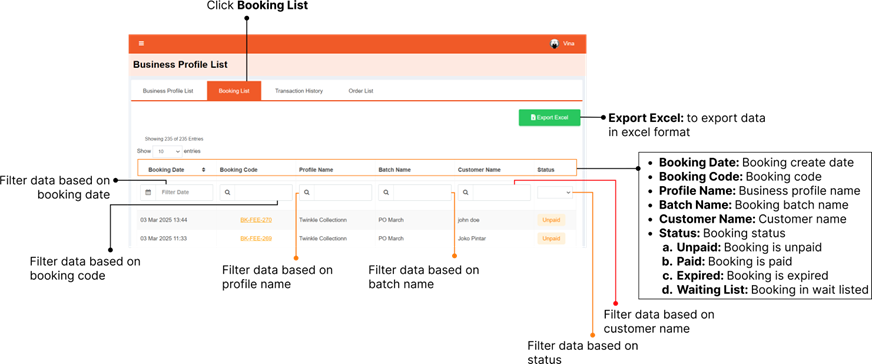
Booking List contains a list of booking that made by your customer, accessible through Faspay Billing → Busines Profile, klik Booking List.
### Export Booking List
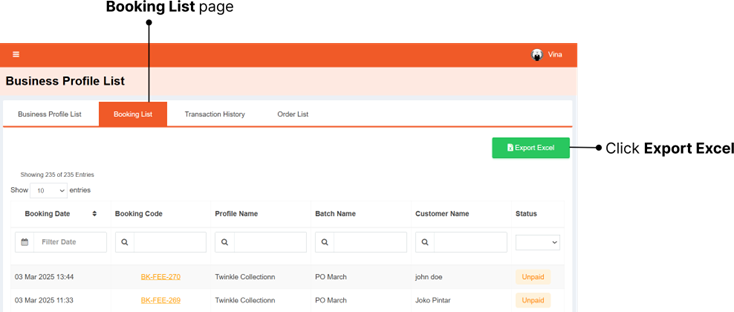
You can export the booking list through **Faspay Billing → Busines Profile → Booking List,**
\
then click **Export Excel.**
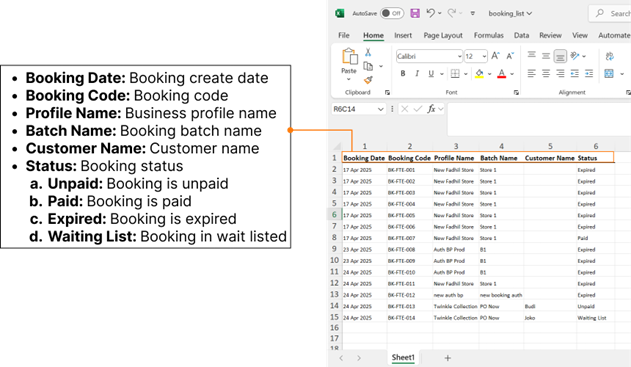
Here’s the order list in excel format.