> For the complete documentation index, see [llms.txt](https://docs.faspay.co.id/llms.txt). Markdown versions of documentation pages are available by appending `.md` to page URLs; this page is available as [Markdown](https://docs.faspay.co.id/merchant-integration/api-reference-1/debit-transaction/postman-collection.md).
# Postman Collection
Faspay now offers several Postman Collections (JSON & XML files) for quicker and easier usage of our APIs. You only need to import and set up your API.
You can download the file API Postman with the link below:
{% file src="/files/rcLl8NIz1VofVqJdThTv" %}
## How To Import File Postman
* Download the Postman application from [here](https://www.postman.com/downloads/) and install the app on your device.
* Download the file `Post TRX Example.postman_collection.zip`above.
* Before importing, the downloaded zip must be **unzipped** first.
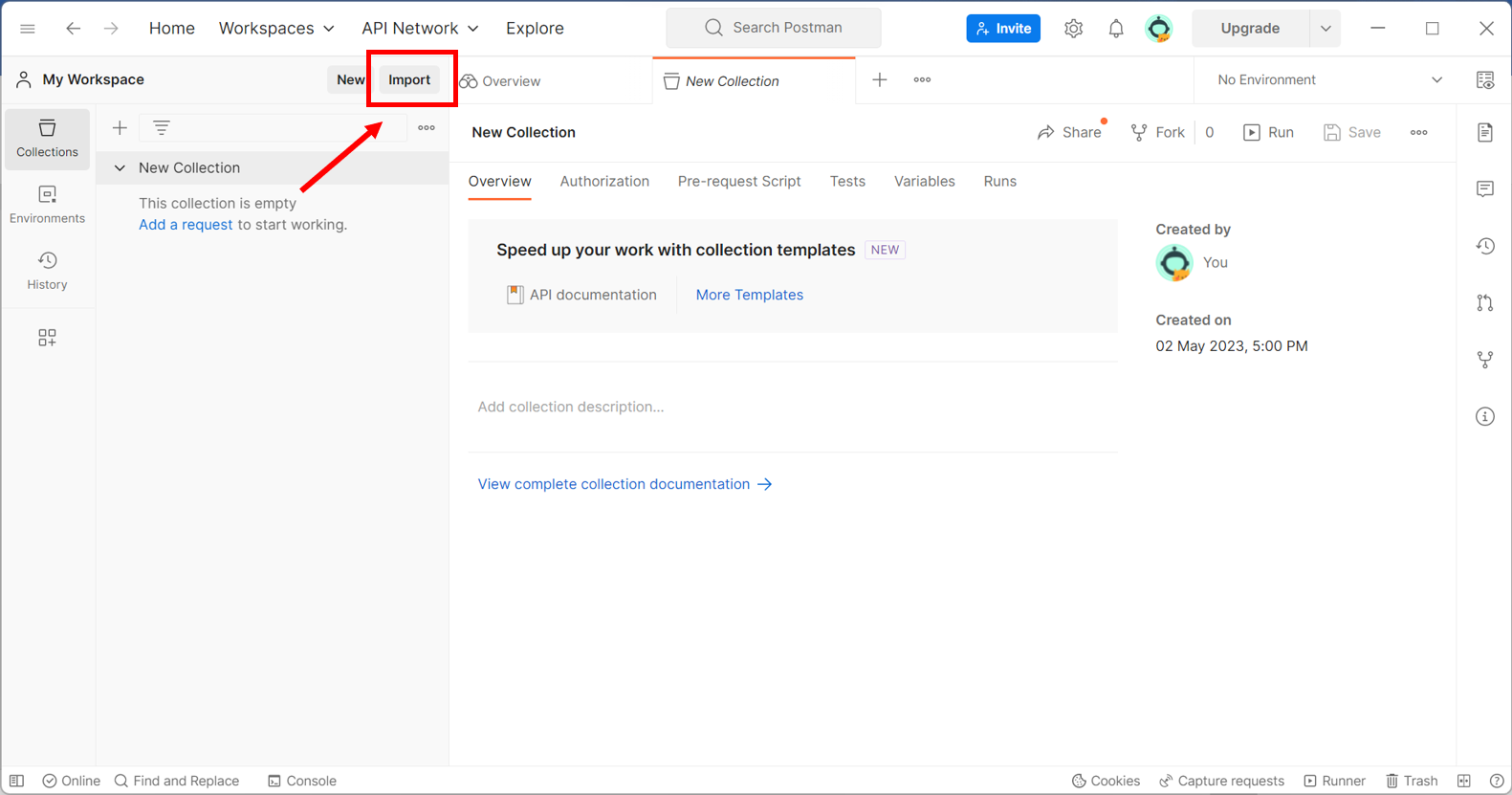
* Click the `Import` button On Postman, for example, the button is at the top left:
Postman View Page
* Select files or folders, and you can also drag Postman files to import them.
File upload view page
* The file will automatically be imported into the Postman collection.
{% hint style="info" %}
Please note that before using our API, please request our integration team for credentials:
* signature -> formula: $signature = sha1(md5(($user\_id.$pass.$bill\_no)));
* merchant\_id
{% endhint %}